What Is Emdash? The Open-Source Desktop App for Parallel AI Coding Agents
Emdash is a free, open-source desktop app for running AI coding agents in parallel.
Emdash is a free, open-source desktop app for running AI coding agents in parallel. Each task you create gets its own Git branch and worktree by default, so multiple agents can change the same repository at once without messing up each other's files. It runs on macOS, Windows, and Linux.
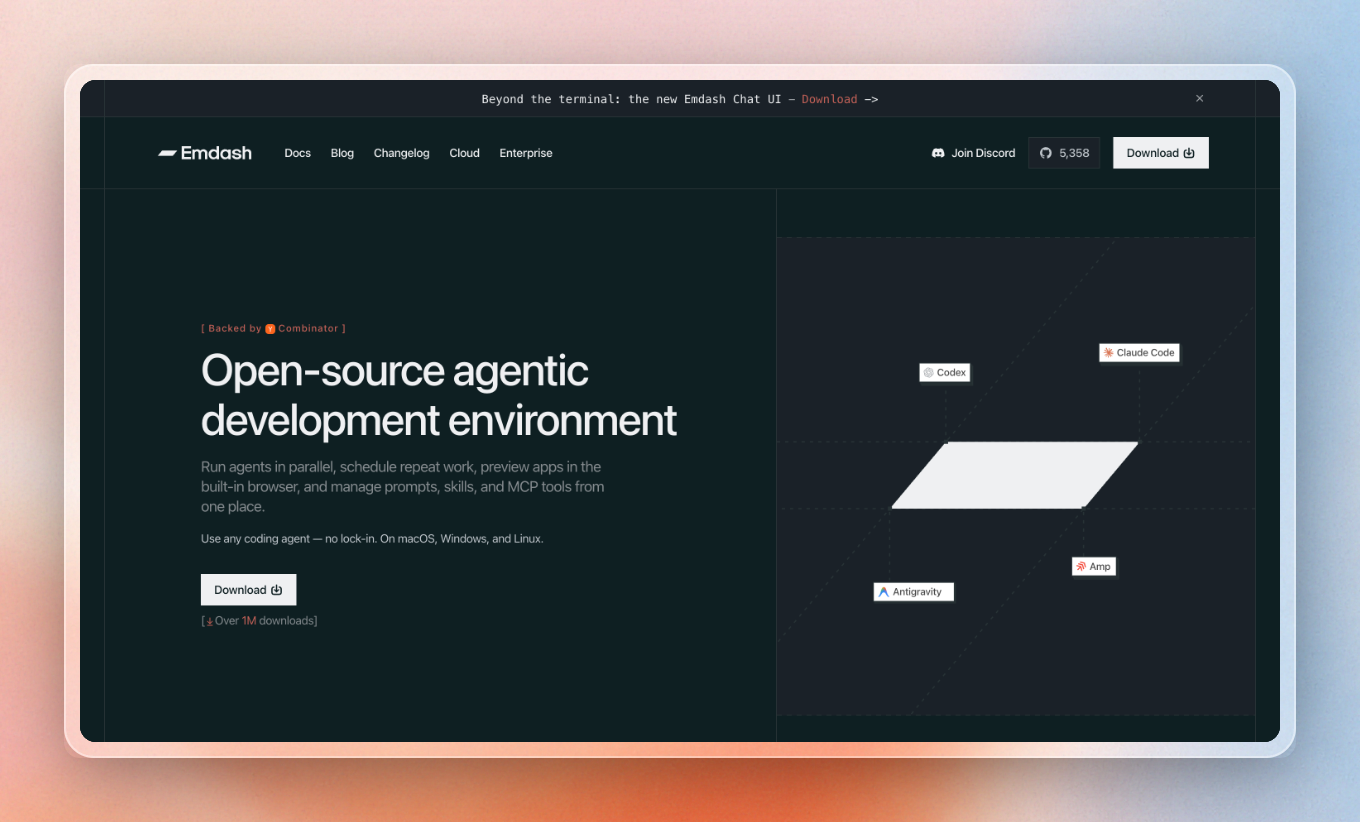
You work with the coding agents you already use, like Claude Code, Codex, and Cursor.
We detect the ones installed on your machine and give you one central command center to start them, watch their progress, review their diffs, and open pull requests. With automations, you can also schedule repeat agent work, and you can preview your app in a built-in browser.
How does Emdash run multiple agents without conflicts?
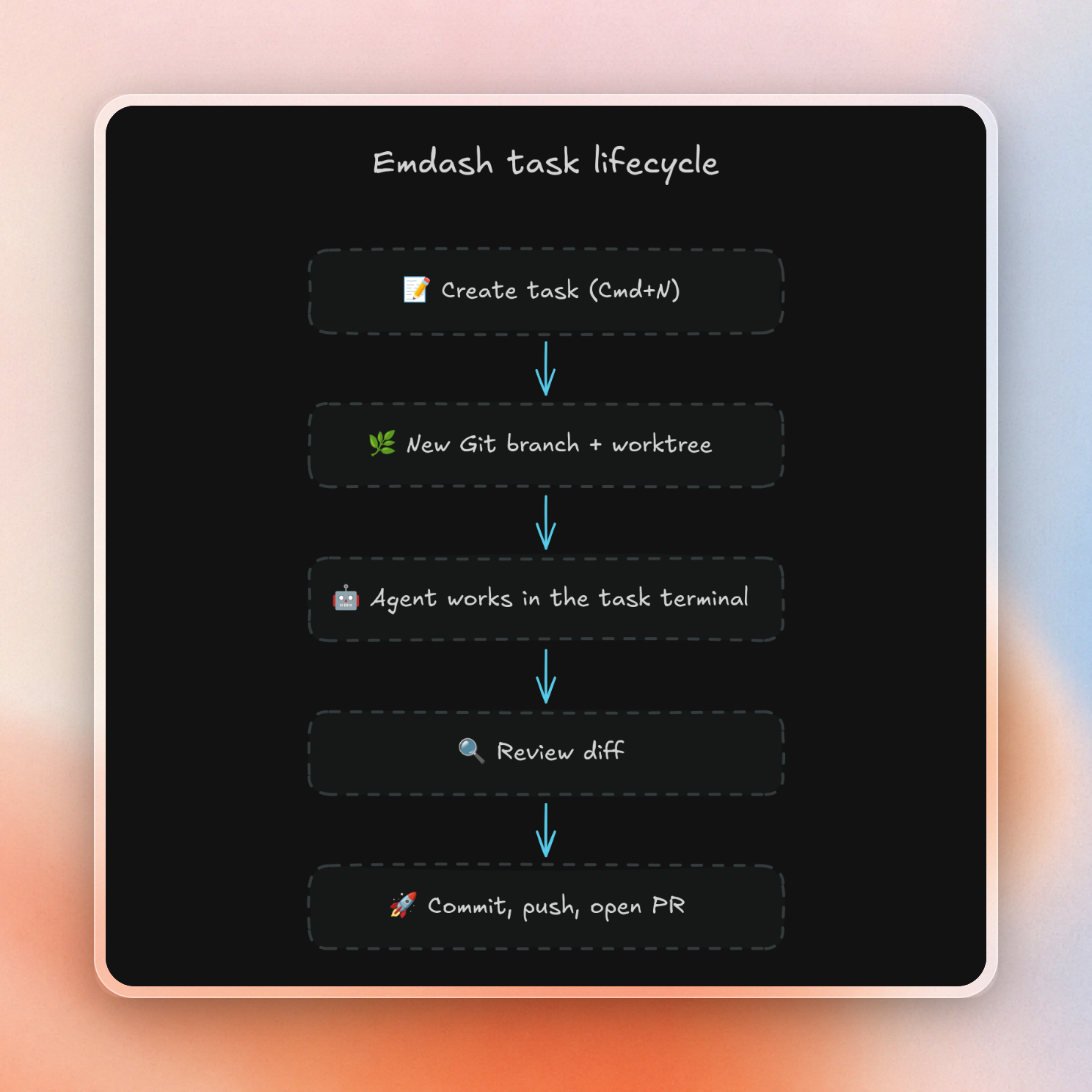
By default, each task creates a Git worktree: a separate copy of your codebase on its own branch. Changes stay in that worktree until you merge them, so multiple agents can work on multiple tasks in the same repository at the same time.
A task keeps its branch, terminal, conversation, and review state together. We save terminal state automatically, so you can close Emdash, reopen it, and the agents resume where they left off. Local worktrees go into a directory you can set, which defaults to a folder in your home directory.
You can also turn worktrees off for a task. The agent then works directly on your checked-out branch, and changes will be shared with anything else on that branch.
Which coding agents does Emdash support?
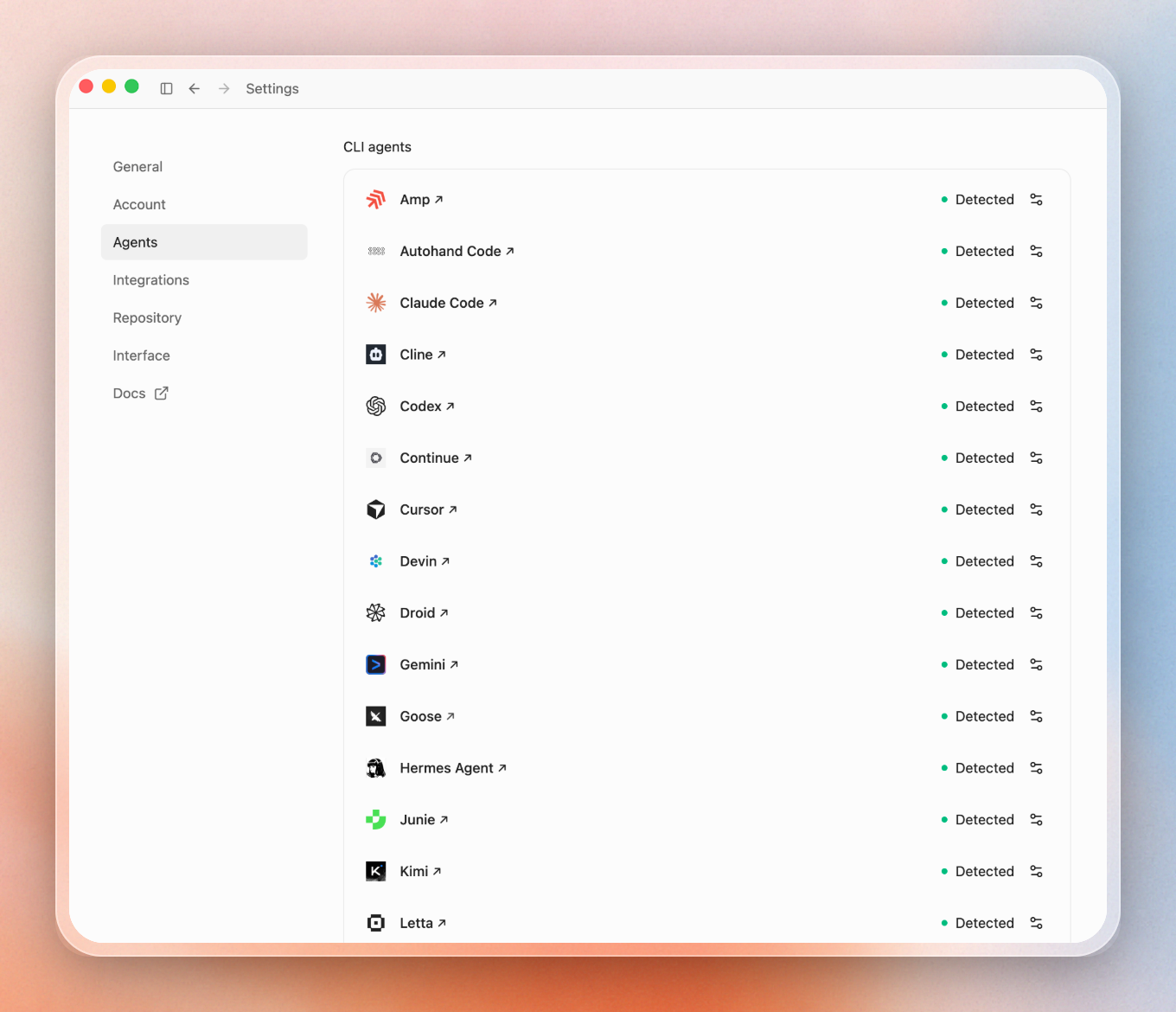
Emdash supports 34 coding agents, including Claude Code, Codex, Cursor, GitHub Copilot, Amp, Devin, OpenCode, Qwen Code, and Droid. Install any of them on your machine, and Emdash detects them automatically.
Emdash runs each agent natively, and you sign in directly through the provider, with no lock-in to one model vendor. Your existing Claude Code or Codex subscription just works.
Also: agents that support the Agent Client Protocol (ACP, a standard for how coding agents and editors exchange messages) now get a chat UI, a conversation view like the chat in Cursor or Codex:
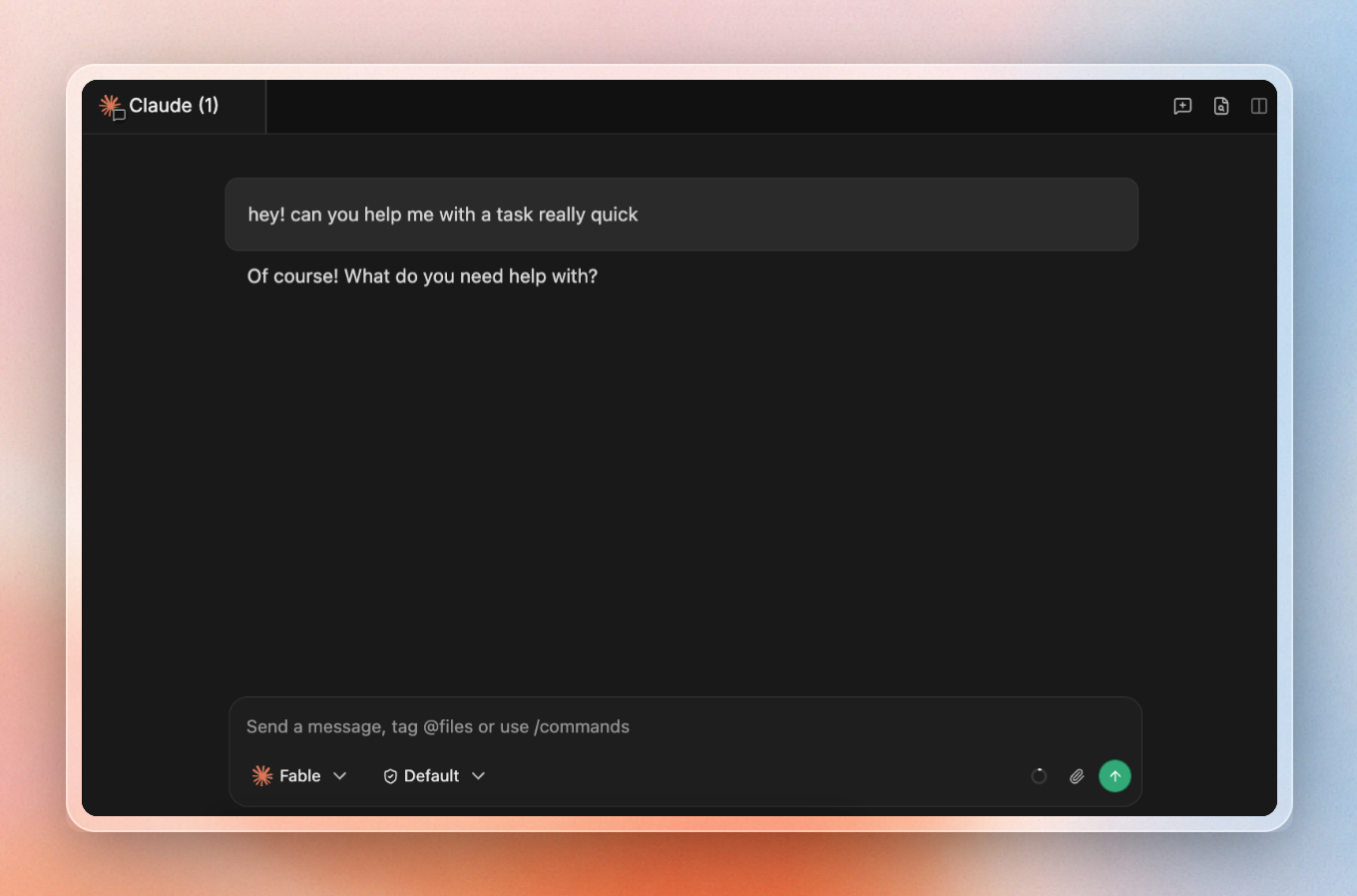
You can paste images into it, queue prompts, and export the conversation. We think it's super convenient and provides one intuitive way to interact with many parallel agents.
On our providers page we show you what each agent supports.
What else can you do in Emdash?
We want to be the best place to do parallel agent work. So we built a few features around that:
- Start tasks from issues. Emdash creates tasks directly from issues in Linear, Jira, GitHub, GitLab, Trello, Asana, Notion, and more. The linked issue stays attached to the task, and you can insert it into the conversation as context.
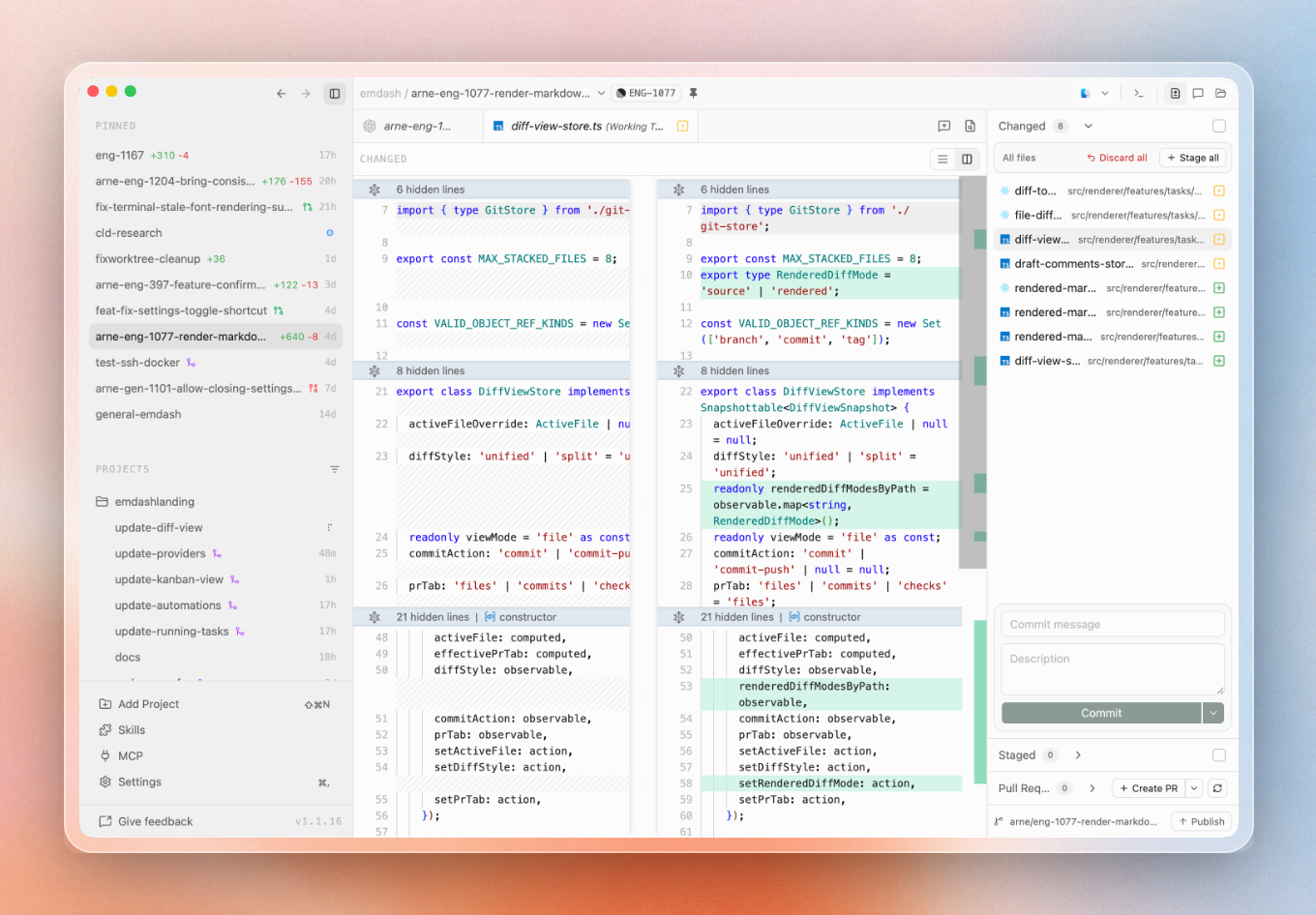
- Review and ship changes. In our diff view (see image below) you can see what an agent changed. You can stage or discard files, commit, push, and open a pull request without leaving Emdash.
- Schedule agent work. Automations create tasks on a cron schedule with a pre-configured prompt and provider, and record a history of every run. Useful for recurring jobs like dependency updates or triage.
- Preview your app. The in-app browser opens web pages as tabs inside a task, with persistent browser profiles separate from your system browser.
- Work on remote machines. With remote projects, the Emdash UI runs locally while the repository, worktrees, terminals, and agents run on an SSH host (a remote machine you connect to over secure shell). With tmux enabled, remote agent sessions survive Emdash restarts and dropped connections.
How do you get started with Emdash?
Download Emdash from the download page, or on macOS:
brew install --cask emdashThen install at least one agent CLI you want to use, like Claude Code or Codex, and sign in to it. Emdash detects installed agents when it opens.
Add a project by opening a local repository or cloning one. Then press Cmd+N to create a task: pick a starting point (branch, issue, or pull request), name it, select a provider, and hit Create.
You can use Emdash without signing in to GitHub; a GitHub account is only needed for issues, pull requests, and checks.
Is Emdash free, open source, and local-first?
Yes! Emdash is free, and the source code is licensed under Apache-2.0. Our repository has 5.4k stars, and we have over 1M downloads.
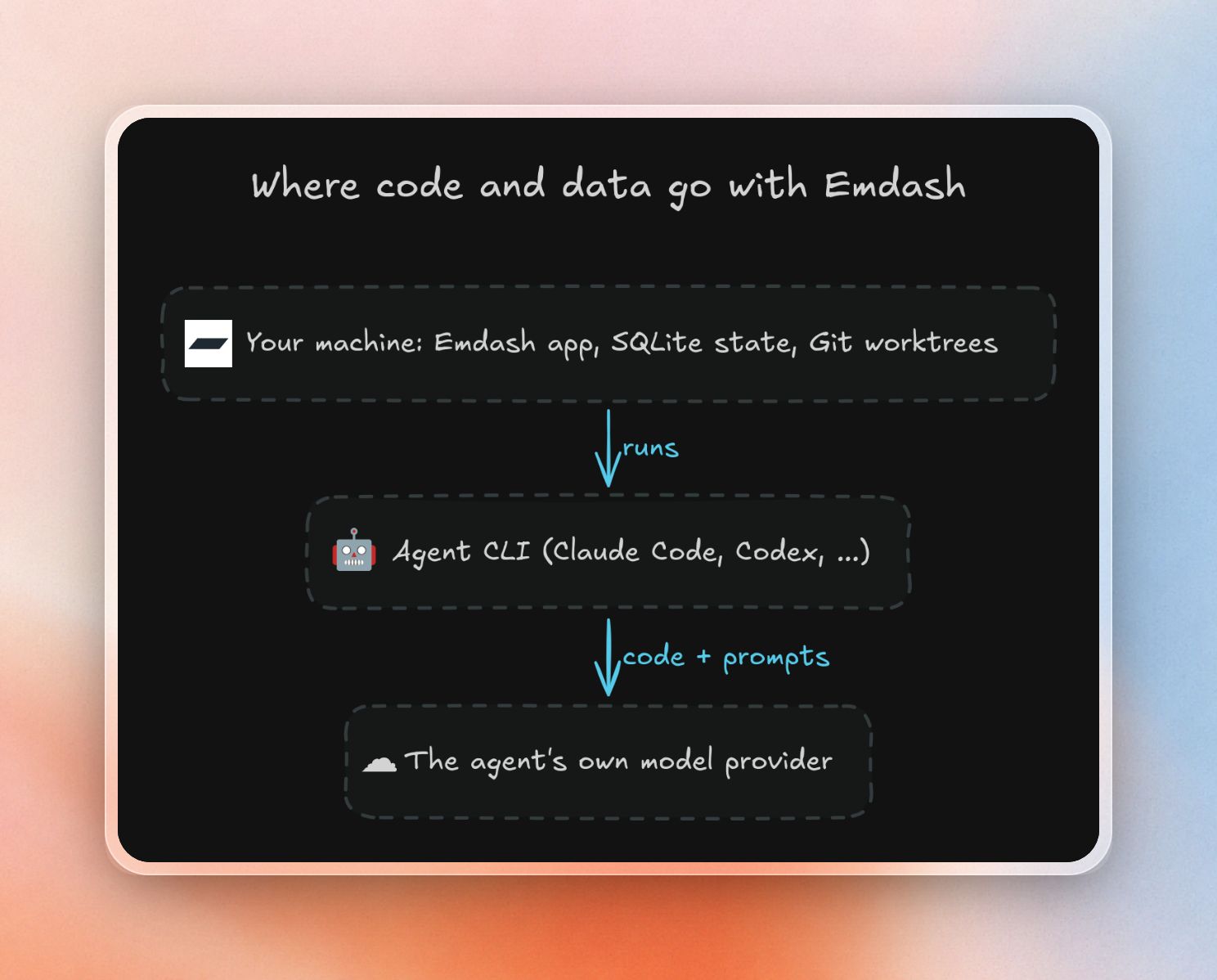
Emdash is also local-first: We store app state in a local SQLite database and do not send your code or chats to Emdash servers. The agent CLIs you run may send code, prompts, and context to their own providers, the same as when you run them in a plain terminal. You can turn off telemetry in Settings.
How does Emdash compare to Conductor, Vibe Kanban, Superset, cmux, and Solo?
Emdash, Conductor, Vibe Kanban, and Superset all run coding agents in parallel Git worktrees, while cmux and Solo are terminal and process workspaces. The main differences are platform support, which agents they run, and licensing.
| Tool | What it is | Platforms | Agents | License and price |
|---|---|---|---|---|
| Emdash | Desktop app, one worktree per task | macOS, Windows, Linux | 34 agents, auto-detected | Apache-2.0, free |
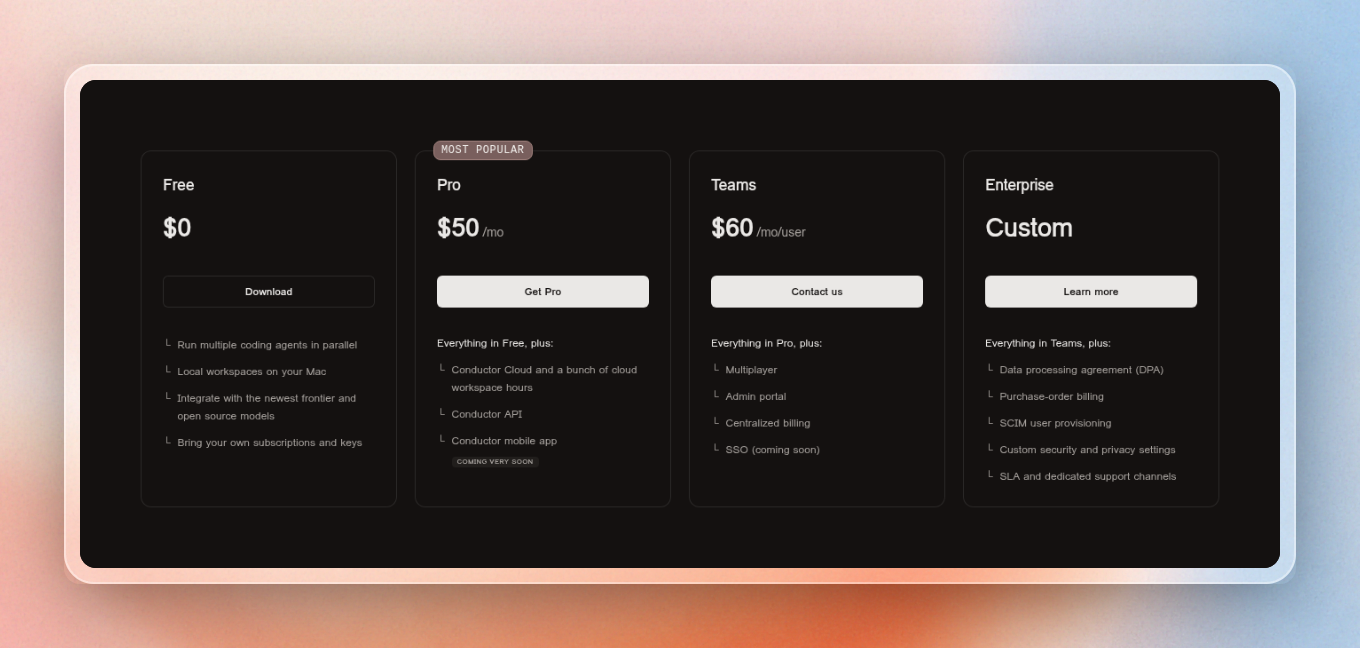
| Conductor | Desktop app, one workspace per task | macOS | Claude Code, Codex, Cursor, OpenCode | Free tier; Pro $50/mo |
| Vibe Kanban | Kanban board for agents, runs via npx | Any OS with Node.js | Claude Code, Codex, Gemini CLI, OpenCode | Open source; sunsetting, community-maintained |
| Superset | Desktop app, CLI, and MCP server | macOS, Linux (but experimental & untested), Windows not supported | Multiple CLI agents | Elastic License 2.0 (source-available); free tier, Pro $15 to $20/user/mo |
| cmux | macOS terminal built on Ghostty | macOS | Any agent that runs in a terminal | GPL, free |
| Solo | Dashboard for local processes: dev servers, agents, queues | macOS, Windows (Linux coming) | Any CLI agent as a managed process | Free tier limited to 4 projects and 20 processes; Pro $99/year |
A quick note on Vibe Kanban: It's sunsetting and will continue as community-maintained open source.
If you want to run parallel AI agents with the widest agent support on macOS, Windows, and Linux, try Emdash! Download it and point an agent at your repository, you can get started in 2-3 minutes!